
The eMemorybox app
Where their memories actually live
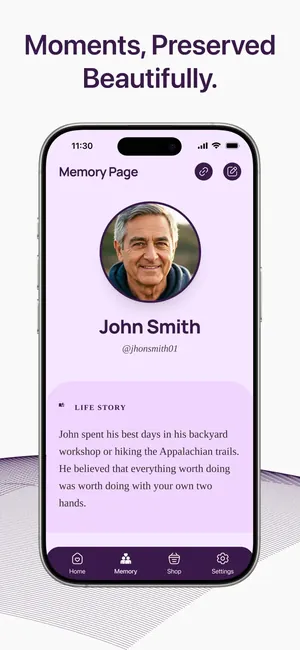
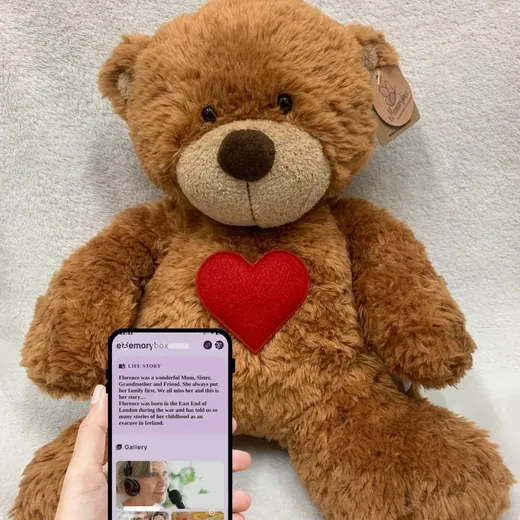
The bear, the box and Eddie all open the same thing: a private page in the free eMemorybox app, with their life story, photographs, video and sound. We built the app so that a family's memories would never sit on a public website, thus adding an extra layer of privacy and security.
- Free
- No adverts, no tracking
- Made by Ememorybox Ltd, Southport
What it does
One page for each person you remember
Tap a keepsake with your phone and the app opens their page. Add to it whenever you want. Nobody else sees it unless you hand them the keepsake.
Your words
Memories in your own words, because you and only you know what's best to say.
Photos
Up to 100 photographs on each memorial page. In your own time, just choose the photos that mean the most to you.
Video
Up to 10 minutes of film. The wedding speech, a birthday, a holiday video. The films that are too precious to lose.
Sound
Their voice, a song they sang, or a song that reminds you of them.
A look inside
Simple enough for a grandparent, safe enough for a child
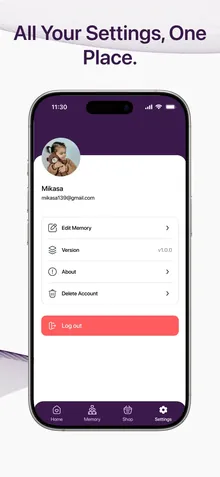
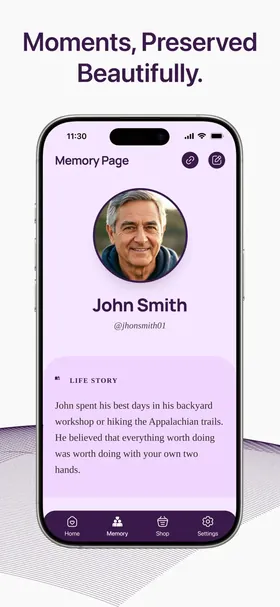
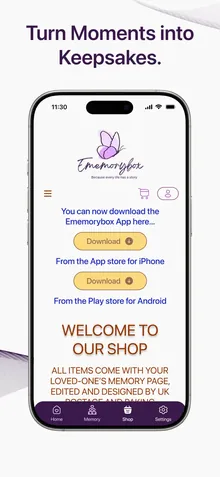
Sample pages from the app's store listing. Real memorials are private to the family.
Why an app, not a website
Private by design
Most digital memorials are public web pages that anyone can search for. We did not want a grieving child's memories of their mum to be a web page. So the memories live in the app, opened only by the keepsake in your hands. Headstone plaques are the exception, on purpose: a plaque is meant for anyone who visits.
- No tracking, and your memories are never shared or sold
- No adverts, no subscription, no child account
- Your memories are yours to change, add to, or delete
- UK company, registered with the Information Commissioner's Office
Get the app
Download it before your keepsake arrives
Then you can start adding memories straight away, and the bear, the box or Eddie is ready the moment it lands on the mat.

Questions people ask
About the app
Is the app free?
Yes. The eMemorybox app is free to download and free to use, on the App Store and Google Play.
Does it collect my data?
The app's store listing declares that it collects no data and shares no data with third parties. The memories you add are stored only so that your keepsake can open them, and they stay yours.
What phone do I need?
An iPhone running iOS 15.6 or later, or an Android phone, with the free eMemorybox app installed.
Does a child need the app or an account?
No. The bear opens with the app on a grown-up's phone. There is no account for the child and nothing for them to sign into.
Do visitors to a headstone need the app?
No. Headstone plaques carry a QR code, so anyone can scan it with a phone camera. The app is for the bear, the box and Eddie.