
How it works
Three simple steps
We make the whole process very simple. Choose from our list of keepsakes, use our free app to add your loved one's memories, and we send the keepsake out fully personalised and connected. Everything else is up to you, in your own time.
The steps
Choose, add, and remember
Choose your keepsake
Pick a bear or a box from the shop, or ask us about a plaque, and tell us who it is for. We personalise it and connect it to their eMemorybox before it leaves us.
Add the memories
Download our easy-to-use app, choose the colour of their page, and add the words, photos, videos and sounds that tell their story. Take your time. Edit as often as you like.
Tap, or scan, and remember
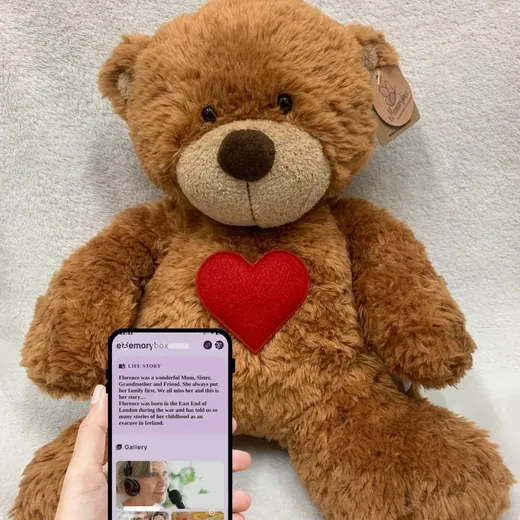
Your keepsake arrives in its gift box, fully personalised and ready. Tap it with your phone, or scan the plaque, and everything you added is there.
What goes in
A life story, told by those who knew them best
Each memorial page holds up to 100 photographs and 10 minutes of video, with unlimited words and sound. Think of it as a 15 minute look into the life of your loved one, in the words of those who knew and loved them most.
Your words
Memories in your own words, because you and only you know what's best to say.
Video
Up to 10 minutes of video: the wedding speech, a birthday, a holiday video. Those special moments that are too precious to lose.
Photos
Up to 100 photographs on each memorial page. In your own time, just choose the photos that mean the most to you.
Sound
If they liked to sing, or you have a recording of their voice, put it here. Or just a song that reminds you of them.
Tap or scan?
Two ways in, and both are simple
The bear, the box and Eddie open with a tap: hold a phone with our free app against the heart or the lid. The headstone plaque opens with a scan: anyone who visits points their phone camera at the QR code, and the page opens. No app needed for a plaque.
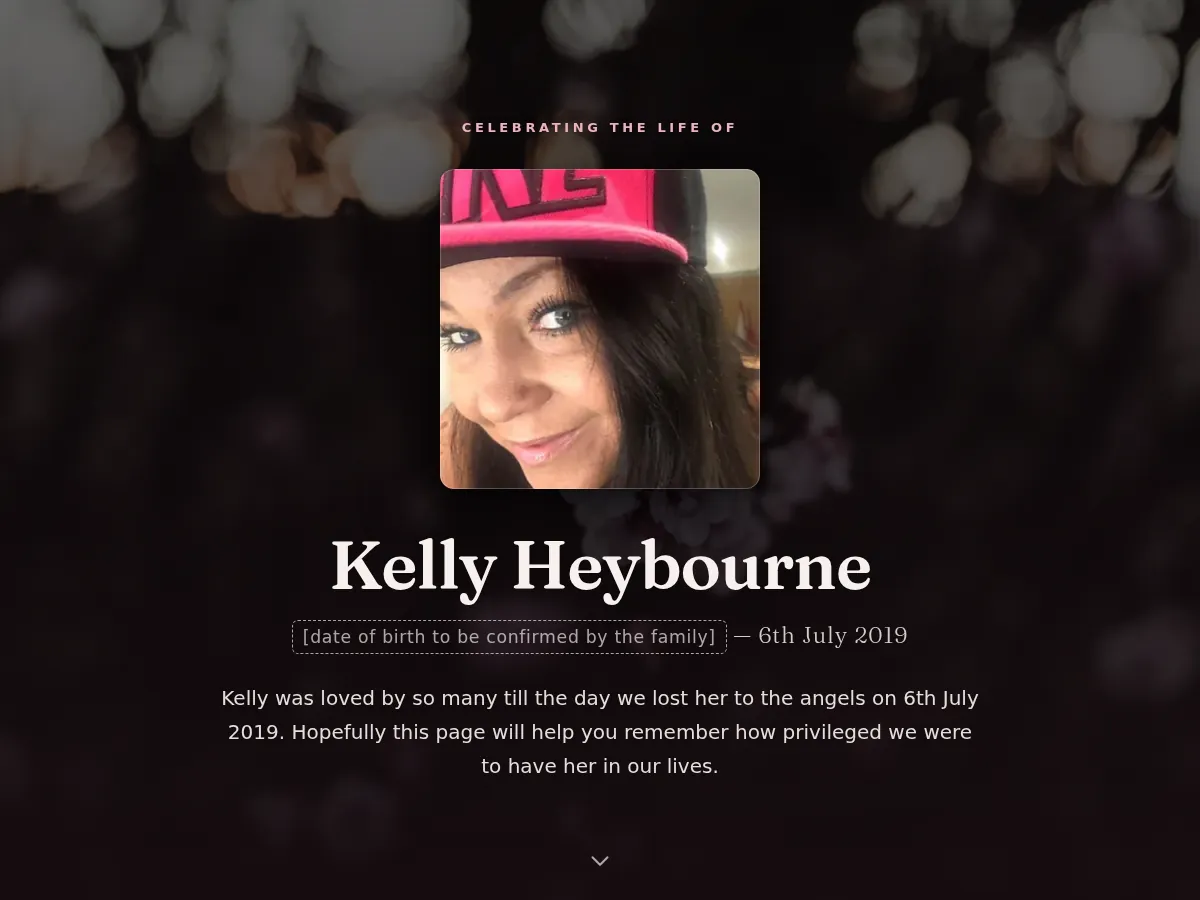
An example memorial
What it looks like when you open it
A film, the family's own words, a life in pictures, and a place for visitors to leave a memory. Kelly's family made this one for her, and were happy for it to be shared.
The eMemorybox app
Free, private, and yours
Memories live in the app, not on a public website. It is free, and only the people you give the keepsake to can open it. Download it before your keepsake arrives and start adding.
Questions people ask
Before you start
Is the app free?
Yes. The eMemorybox app is free to download and free to use, on iPhone and Android.
How many photos can I add?
Up to 100 photographs and 10 minutes of video on each memorial page, with as many words and sounds as you like.
Do I need the app for a headstone plaque?
No. Plaques carry a QR code, so anyone who visits can scan it with a phone camera and open the page. The app is for the bear, the box and Eddie.
Can I change the memories later?
Yes. Open the app and add or change words, photos, videos and sounds whenever you want.
What phone do I need?
A modern smartphone with the free eMemorybox app. Hold it to the keepsake's heart or lid and the memories open.
Talk to a person
Still not sure? Contact us.
If you want to talk it through before you decide, or you are not sure which keepsake would suit, get in touch. There is no call centre.
- 0151 374 1033Ring any time. If we miss you, we ring back.
- info@ememorybox.comWe reply within a working day